

3500U Community Room
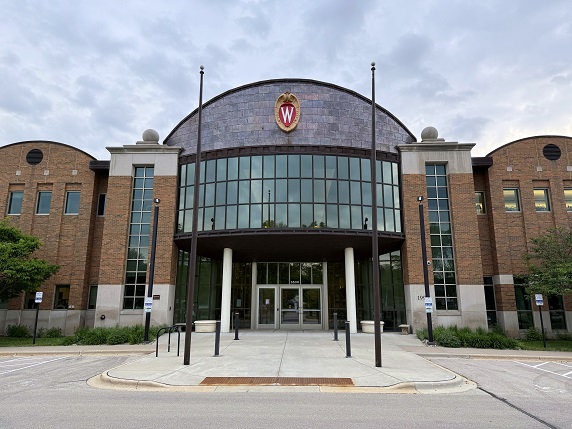
3500U Community Room
UW–Madison Extension’s building at 3500 University Avenue in Madison offers a Community Room to host a large meeting or event. The Community Room can accommodate 200 people and has easy parking, audio-visual capability, and breakout spaces.
Is there a fee for using the Community Room?
As of now there is not a fee but we anticipate this could be a requirement in the future.
Is there a fee for the number of parking spaces needed?
As of now there is not a fee but we anticipate this could be a requirement in the future.
Because this lot is monitored by campus we will send you specific instructions for your guests to use while parking during the meeting.
How can participants find/access 3500U?
The Extension Building is available via a campus shuttle; the BRT bus lines A and F (use stops at University/Shorewood or University/Midvale), or parking in the outside lot.
What audio-visual technology does the Community Room have?
Currently the Community Room can accommodate:
- Bring your own device – You must plug into the USB-C located at the podium to connect
- One lavalier and two handheld microphones (amplification only in the room)
- One screen and projector – Alternatively: Display to two TV sets (better quality)
- One virtual camera or OWL – Allow virtual attendees to see the speaker
Available upon request and must be requested in advance:
- Light control: Full lighting or Presenter mode
- Room Divider – Community Room can be divided into two separate spaces
- Based on room availability and must be requested in advance
What about hybrid meetings or virtual participant options?
Should you wish to have virtual participant options, please let us know as soon as possible so we can gather more information in order to best support your meeting’s needs.
Is there WiFi for participants?
3500U is connected to the University of Wisconsin wifi network. UW employees will have devices connected automatically to the network. Non-UW employees should connect to the UWNet and follow these instructions on how to apply to the network. If you are a guest on campus and have not created a guest account, see UWNet – Create a Guest Account for instructions.
What about breakout spaces or add-on meeting rooms?
Identify in the reservation form whether you will require breakout spaces. Spaces are limited so be as clear as possible with technology needs, number of attendees, time required and purpose. If you don’t know this at the time of the request, please provide as much information as possible and details can be worked out during the advancement.